Connected worker and operations platform
Catch problems on the round. See every fix through.
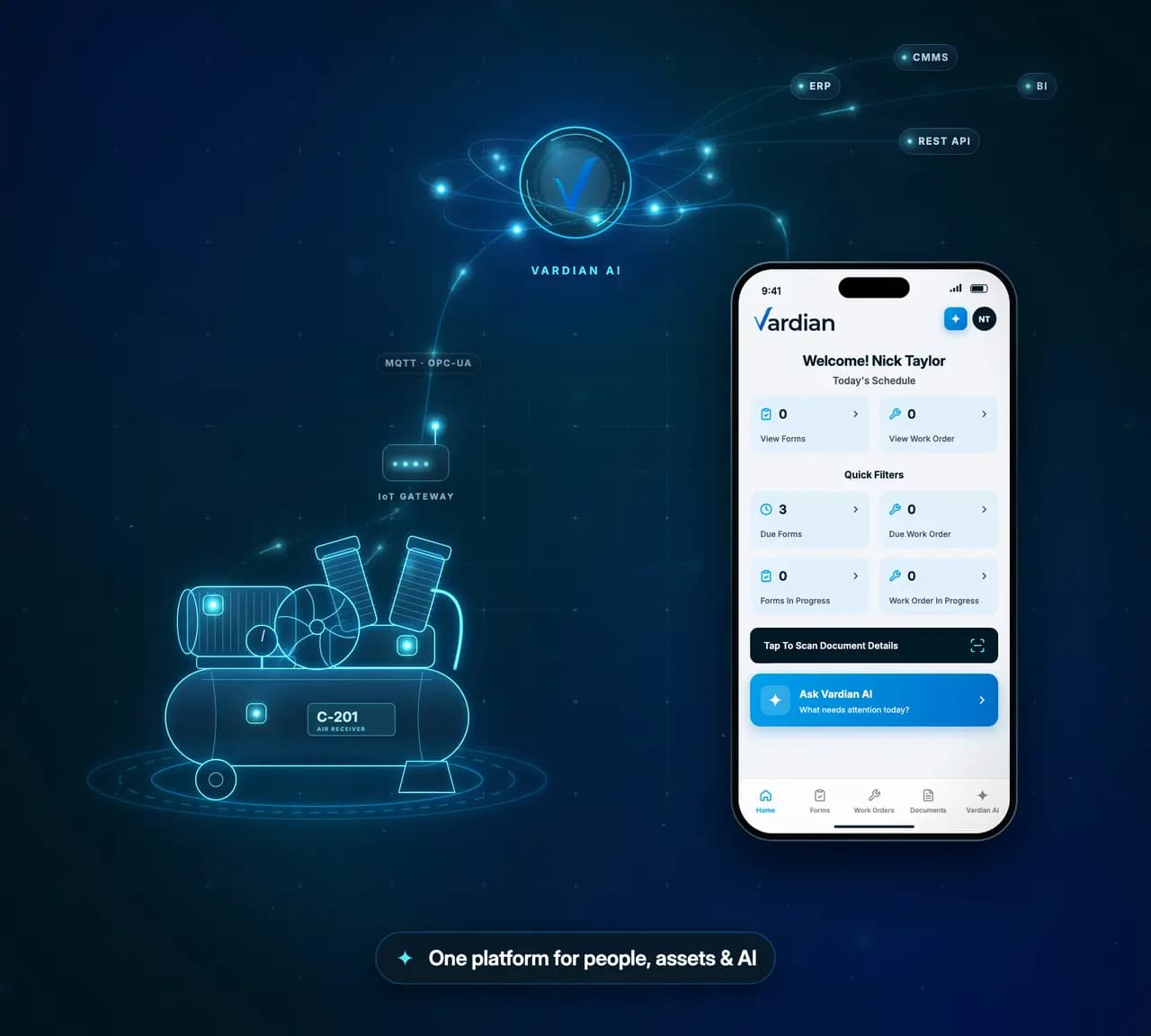
Vardian puts rounds, inspections, work orders, procedures and equipment data on one record. Operators flag abnormal conditions on the spot, and supervisors follow each one through to closure, across shifts and sites.
The problem
Frontline work falls through the gaps between shifts and systems
Paper, spreadsheets, messages and separate systems each hold part of the story. By the time anyone pieces it together, the moment to act has passed.
Without a connected record
- Checkpoints skipped when the shift runs short
- Readings written down, never trended
- Findings sent by text, never assigned
- Alarms handled apart from the work orders
With Vardian
- Guided rounds with NFC and QR checkpoints
- Readings checked against their limits as they are entered
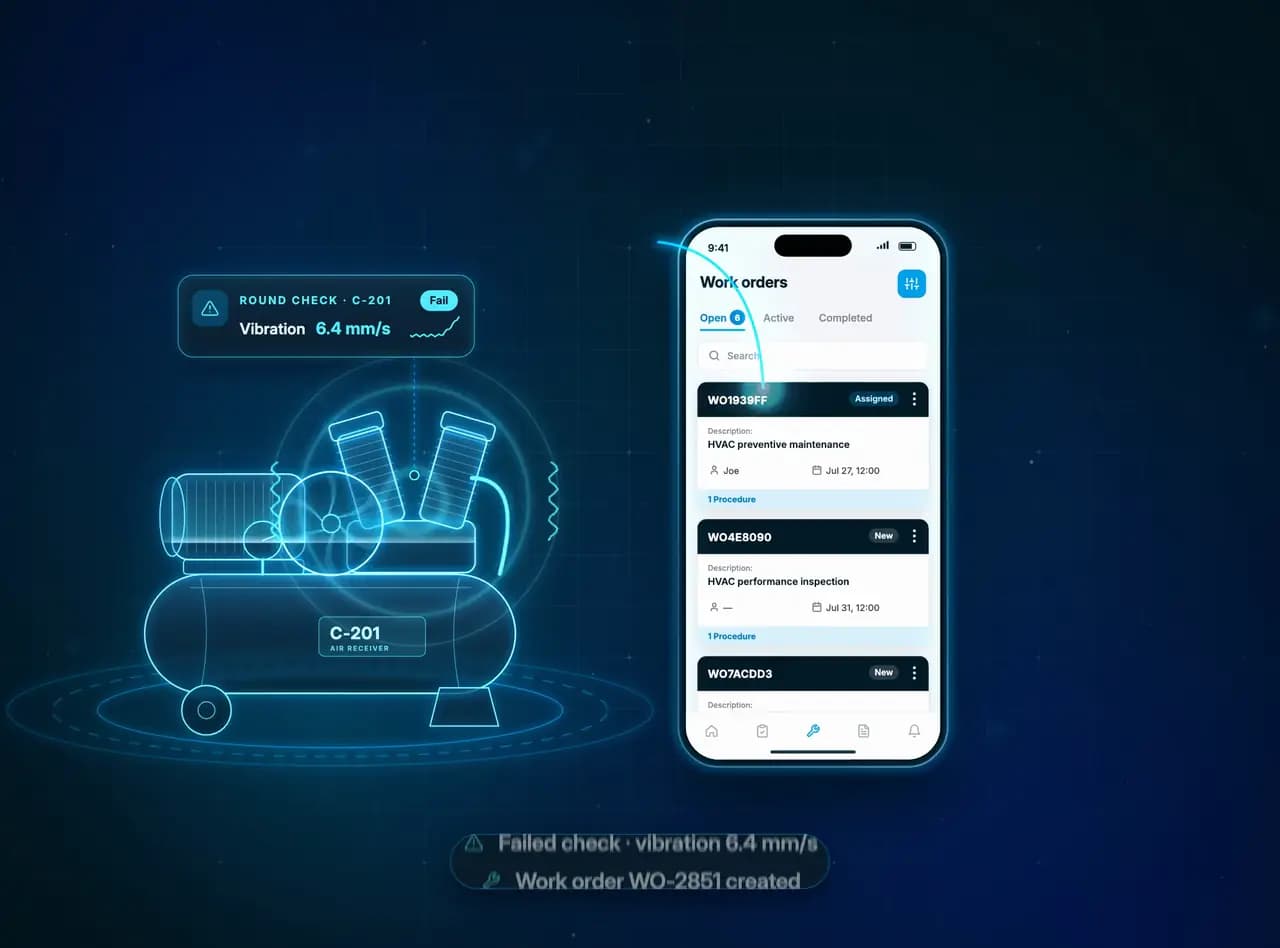
- A failed check becomes an assigned work order
- Alarms, findings and fixes on the same asset record
Where a finding gets lost
The same night-shift finding, seal weeping on pump P-104, on paper and in Vardian.
Animation: at 02:10 an operator finds a weeping seal on pump P-104. On paper, the note rides a clipboard in the truck, reaches the office on Friday and is filed, and nobody follows it up. In Vardian, the Not OK check and its photo create a work order straight away, it is assigned to the mechanical team at 02:15, and it is fixed and closed with a photo at 09:40.
How it works
One abnormal reading, from round to resolution
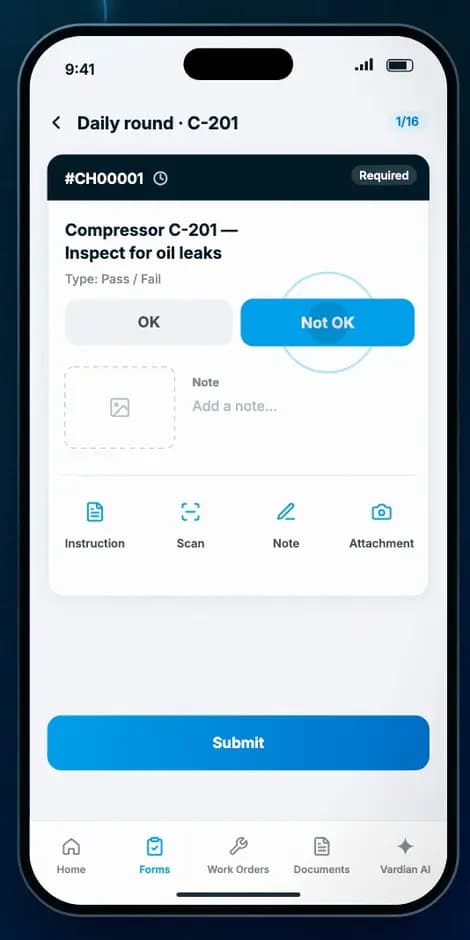
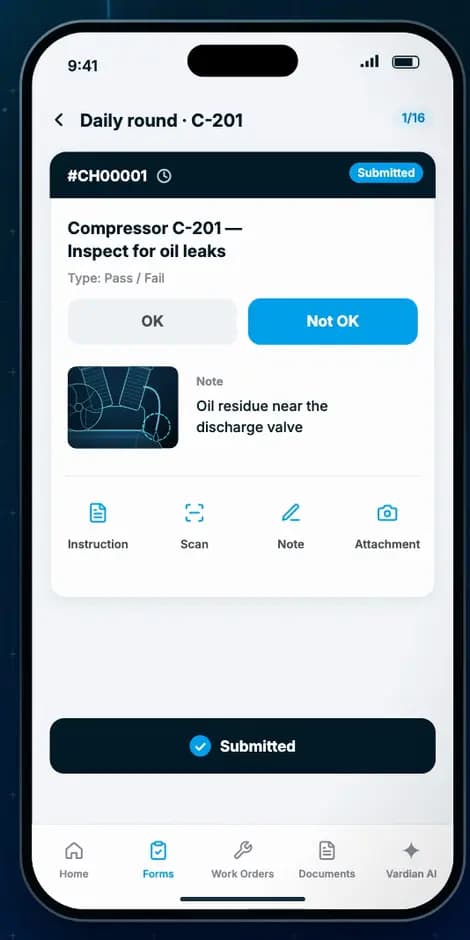
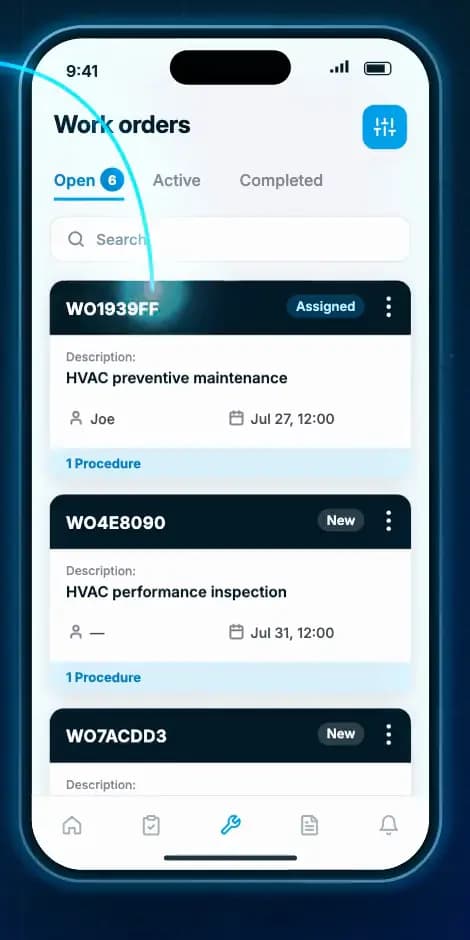
Follow a single finding on compressor C-201 through the real product, from the operator's round to the closed work order.
Swipe through the six steps.
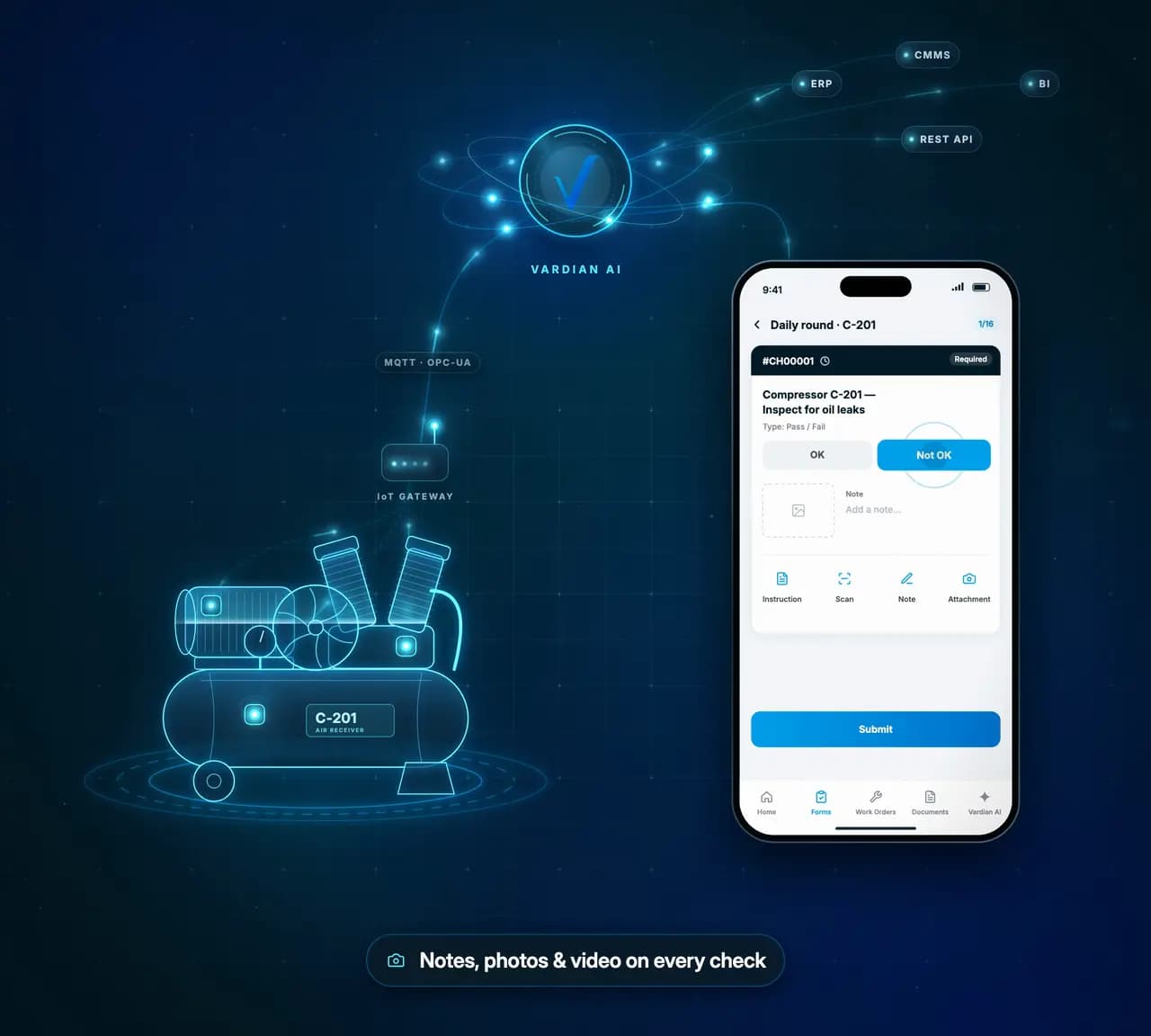
- 106:10·OperatorThe round flags a problemOn the daily round of compressor C-201, the operator marks the oil-leak check Not OK and attaches a photo and a note.
- 206:14·Equipment dataThe equipment backs it upVibration on the same compressor crosses its limit and raises an alarm on the same asset record.
- 306:15·SupervisorWork is assigned with its contextWork order WO-2851 goes to a mechanical technician with the asset, the reading, a due time and the inspection procedure attached.
- 407:30·SupervisorNothing waits for the end of the shiftRounds completed, checkpoints submitted, reading trends and open alarms are visible across teams and sites.
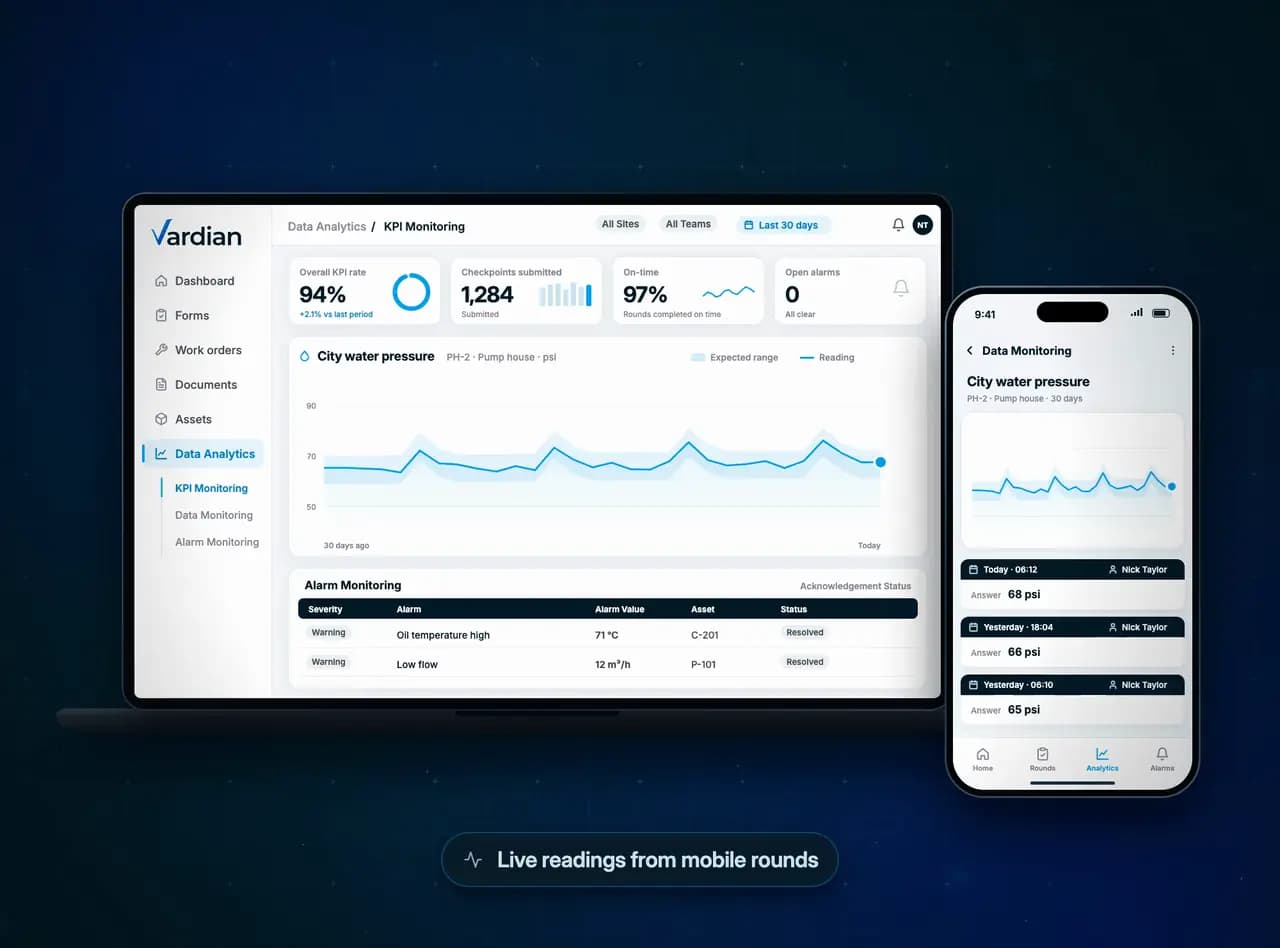
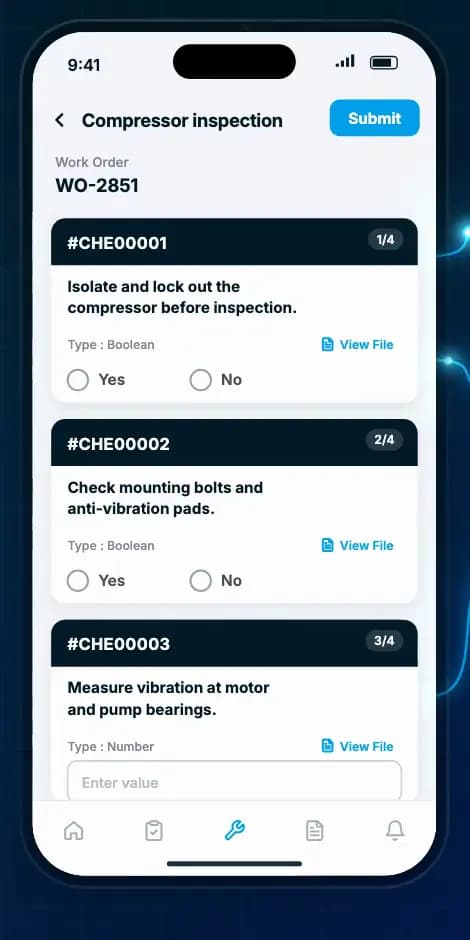
- 513:20·TechnicianThe fix follows the procedureThe technician works through the procedure on mobile, step by step, starting with lockout.
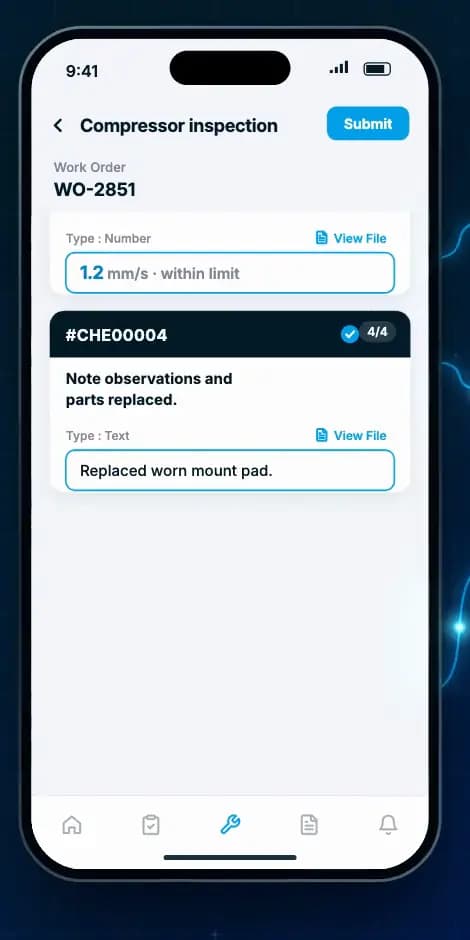
- 613:40·TechnicianClosed, with proofThe reading is back within its limit, the work order is resolved, and the asset history keeps the full record for the next shift.
Workflows
Built around the work operations teams do every day
Start with one workflow and add the next on the same platform.
Swipe through 8 workflows.
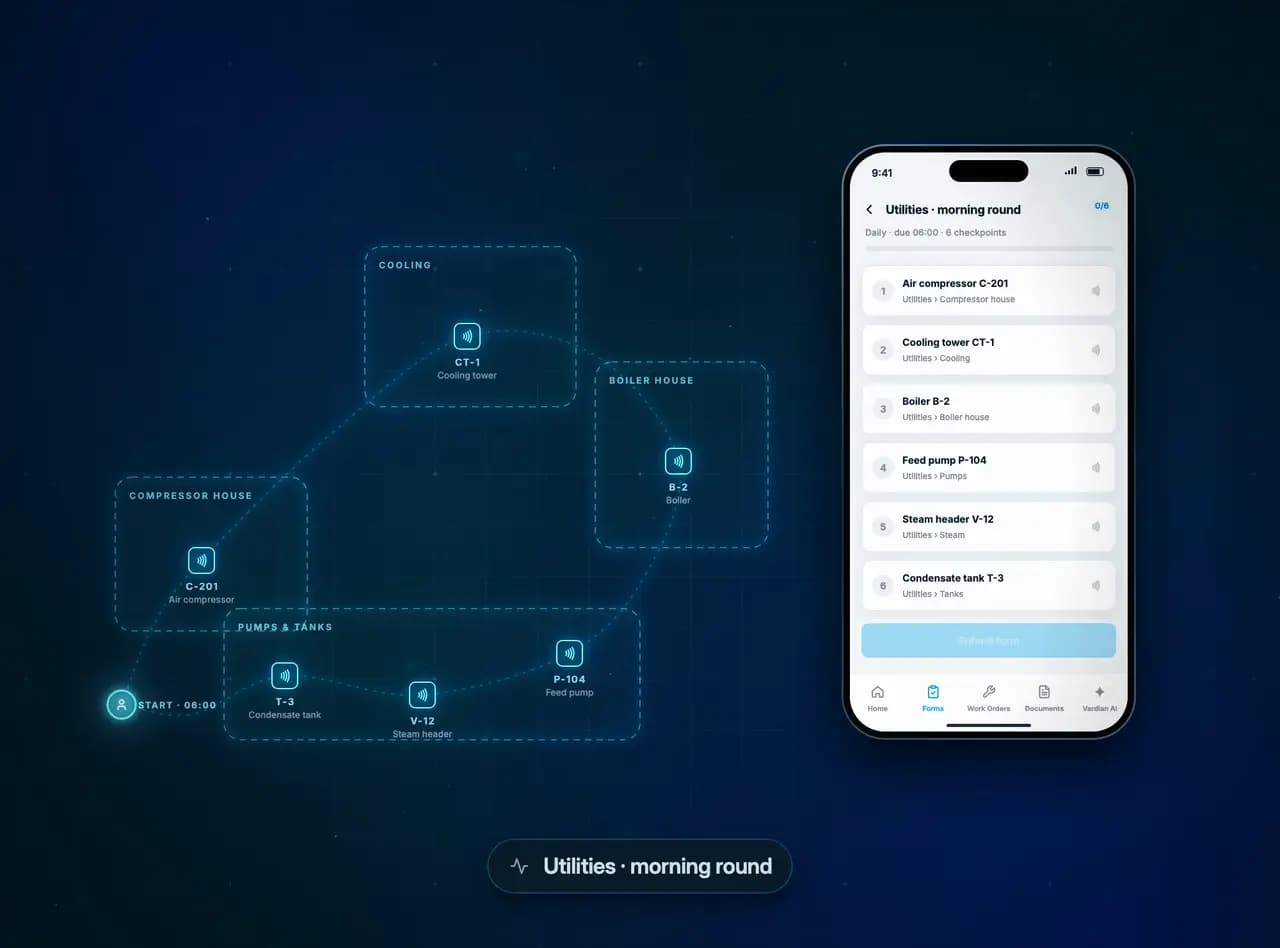 Rounds and inspectionsNFC checkpoints · reading limits · handover
Guided rounds with a tap at every stop. Out-of-range readings are flagged as they are entered, and the next shift sees what happened.
Rounds and inspections →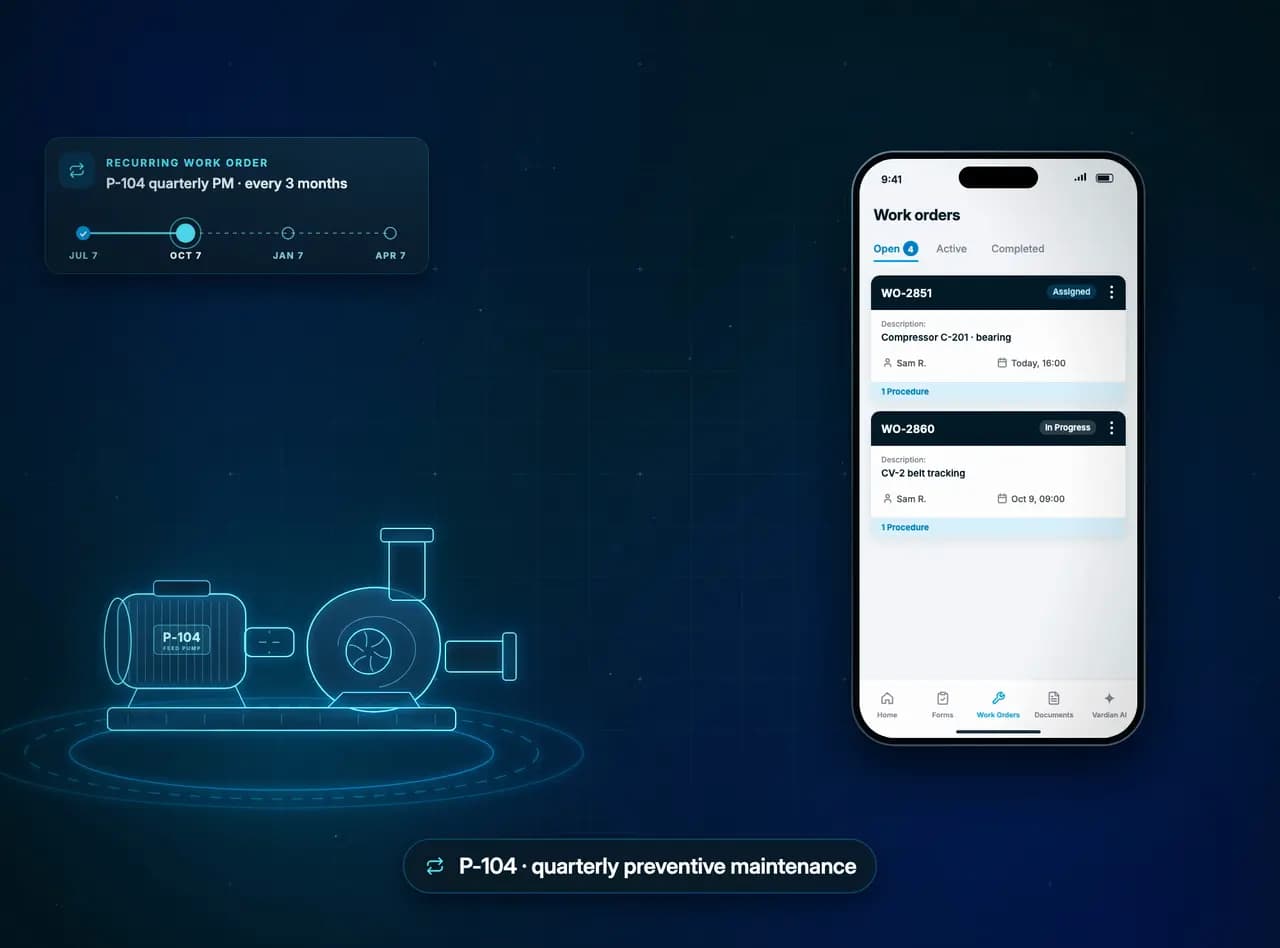 Preventive maintenanceRecurring work orders · procedures · approval
Recurring work orders arrive with the asset, procedure and technician attached, and close with a signature and a supervisor’s approval.
Work orders and maintenance →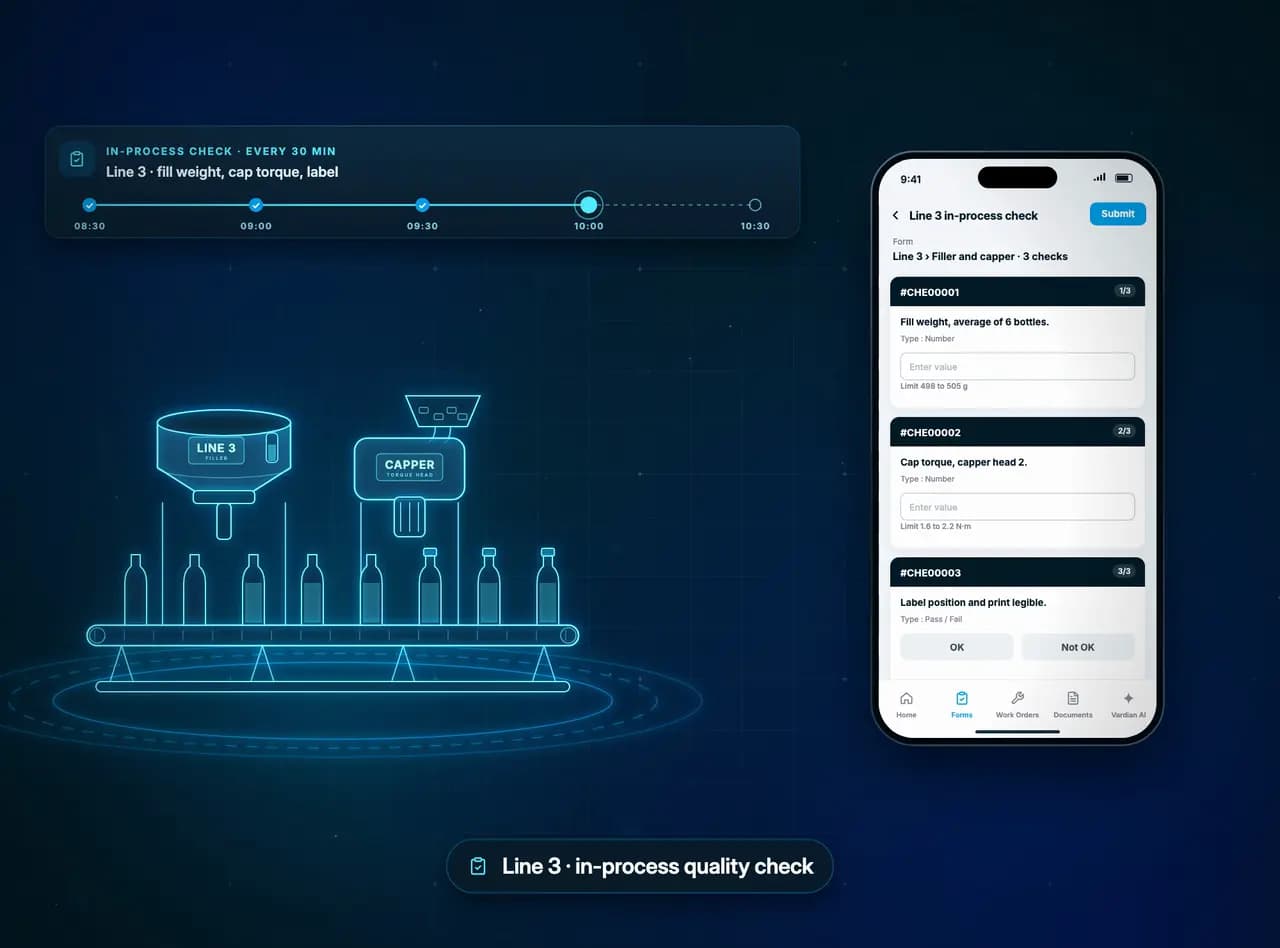 Quality checksLimits · automated work orders · CSV export
In-process checks against their limits. A failed check opens a work order, and every reading stays in Checkpoint History.
Quality checks →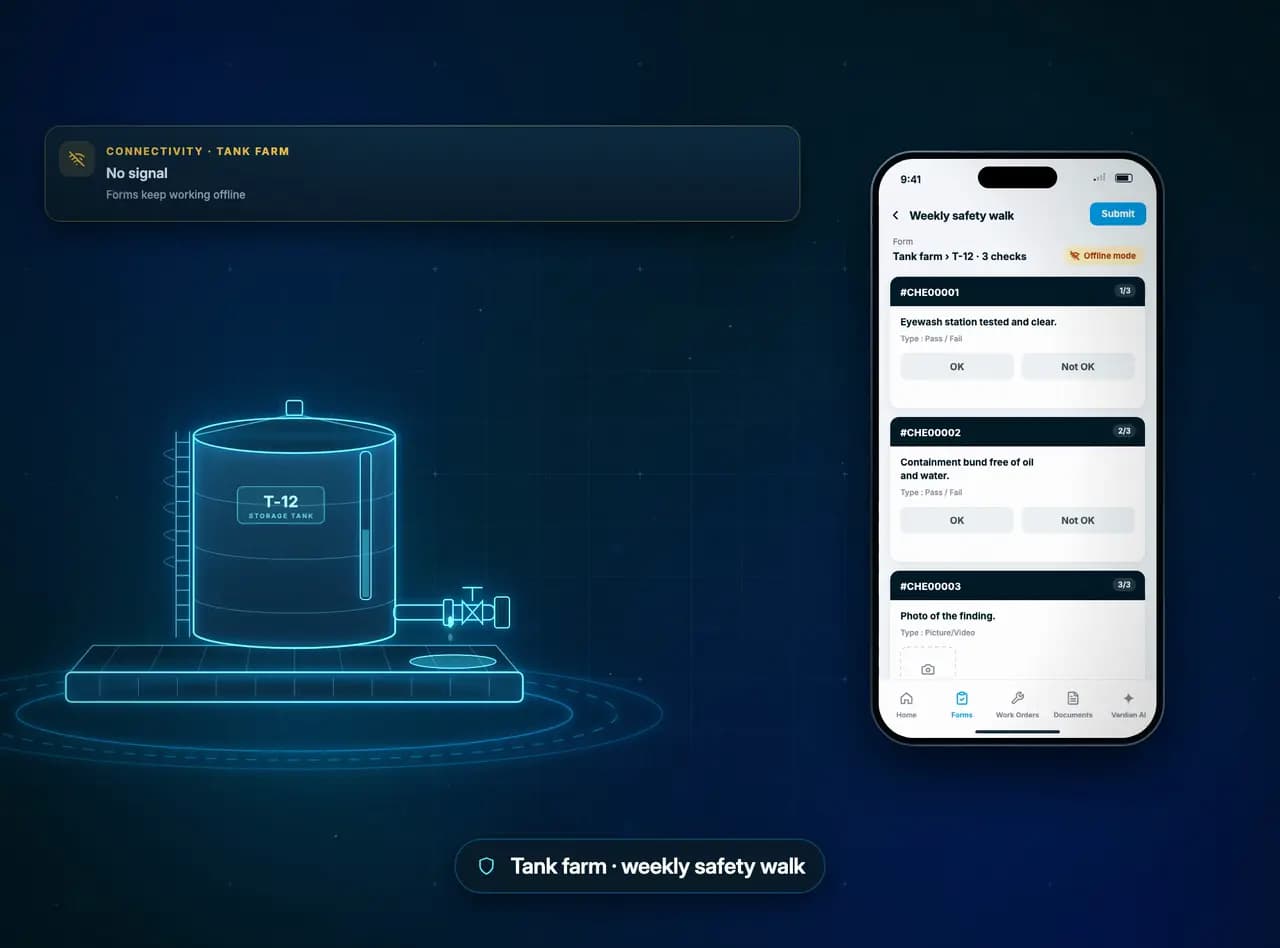 Safety walksOffline · photo evidence · corrective work
Inspections that keep working without a signal, with photo evidence, and corrective work that closes with proof.
Safety observations →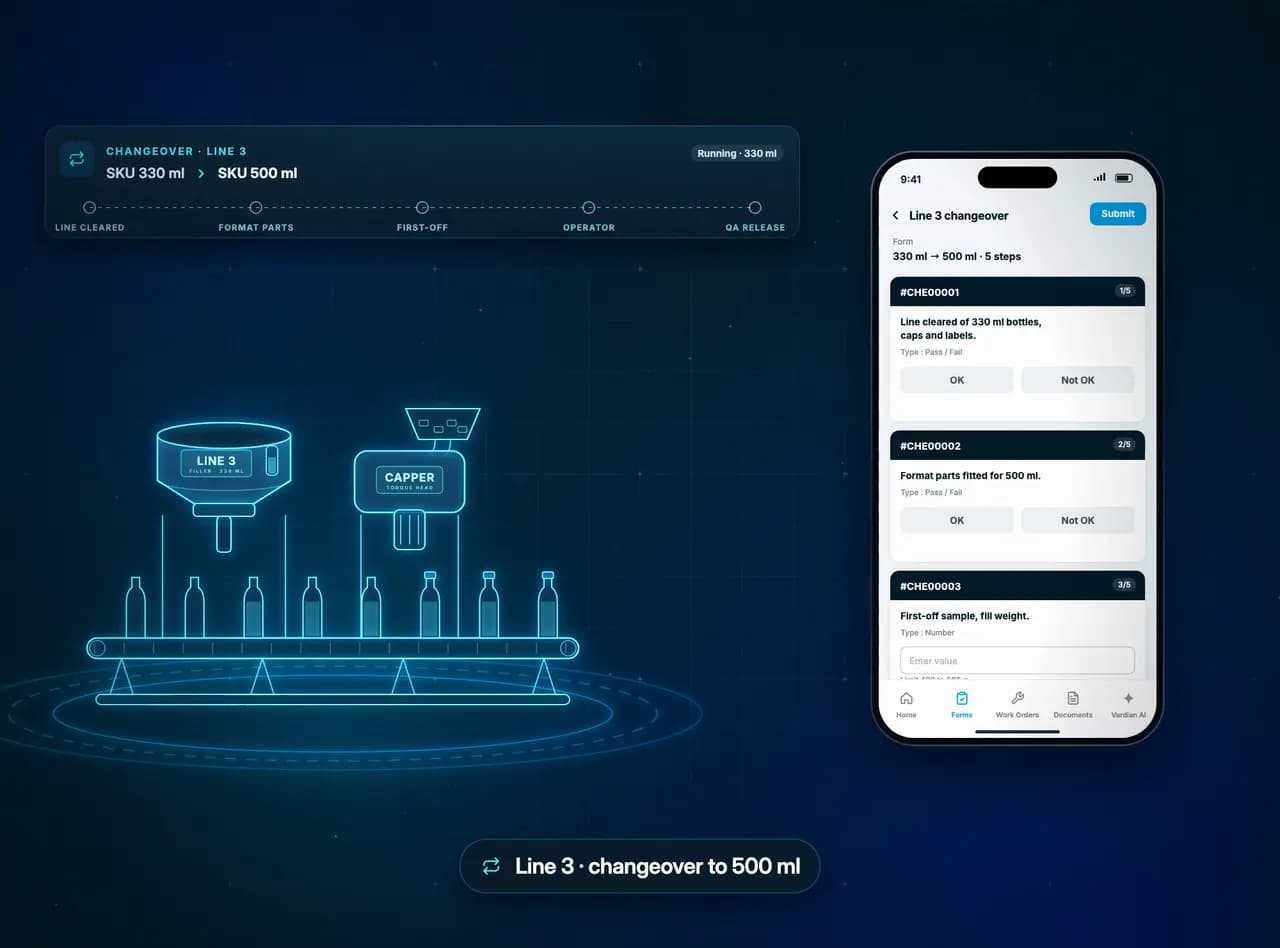 Production changeoversStep by step · sign-offs · KPI Monitoring
Changeovers run step by step with operator and QA sign-off, and every submitted check feeds KPI Monitoring.
Production checks →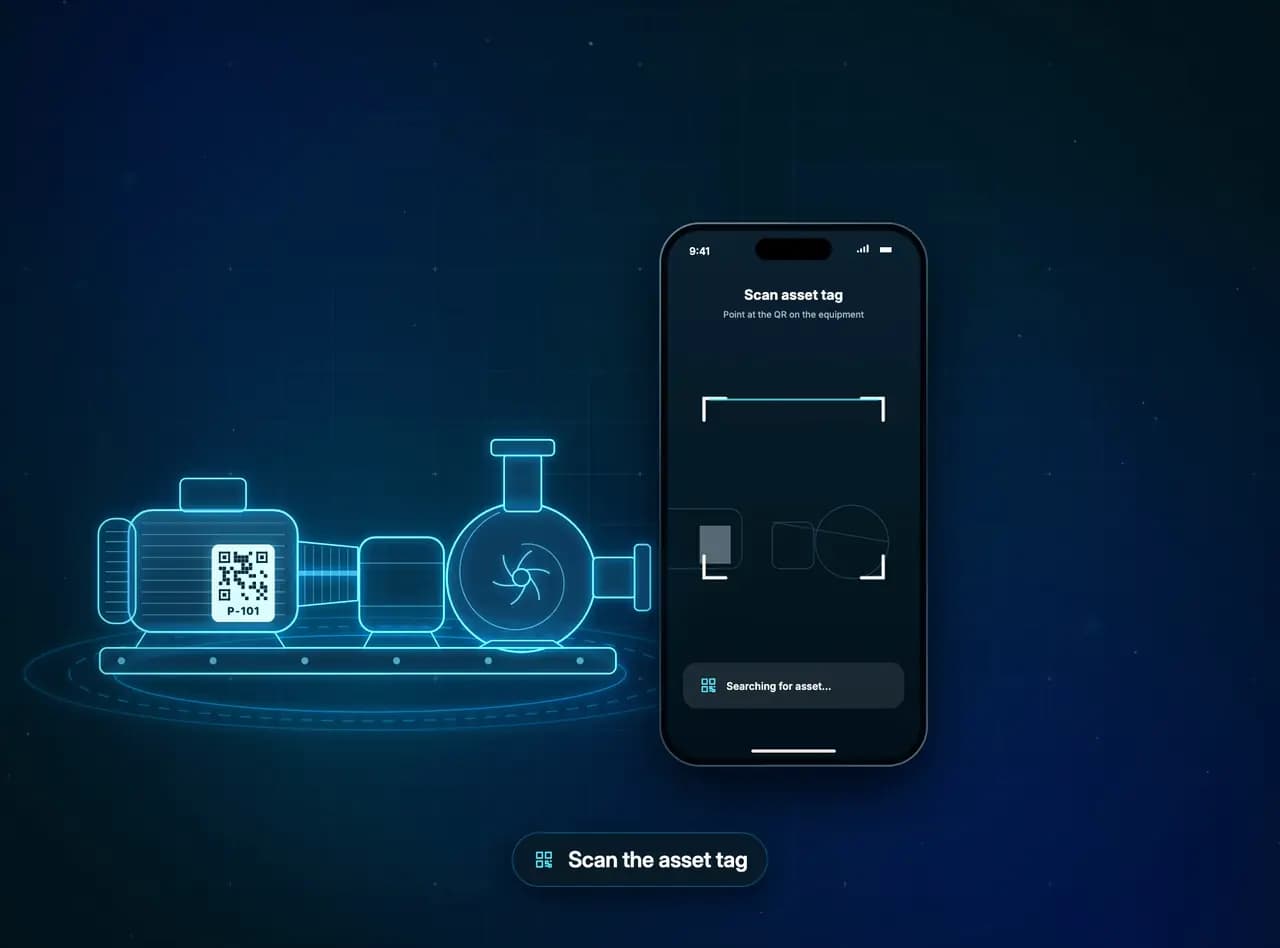 Procedures and documentsQR access · current revision · offline
Scan the tag on the equipment to open its manual, SOP and history, always at the current revision.
Procedures and documents →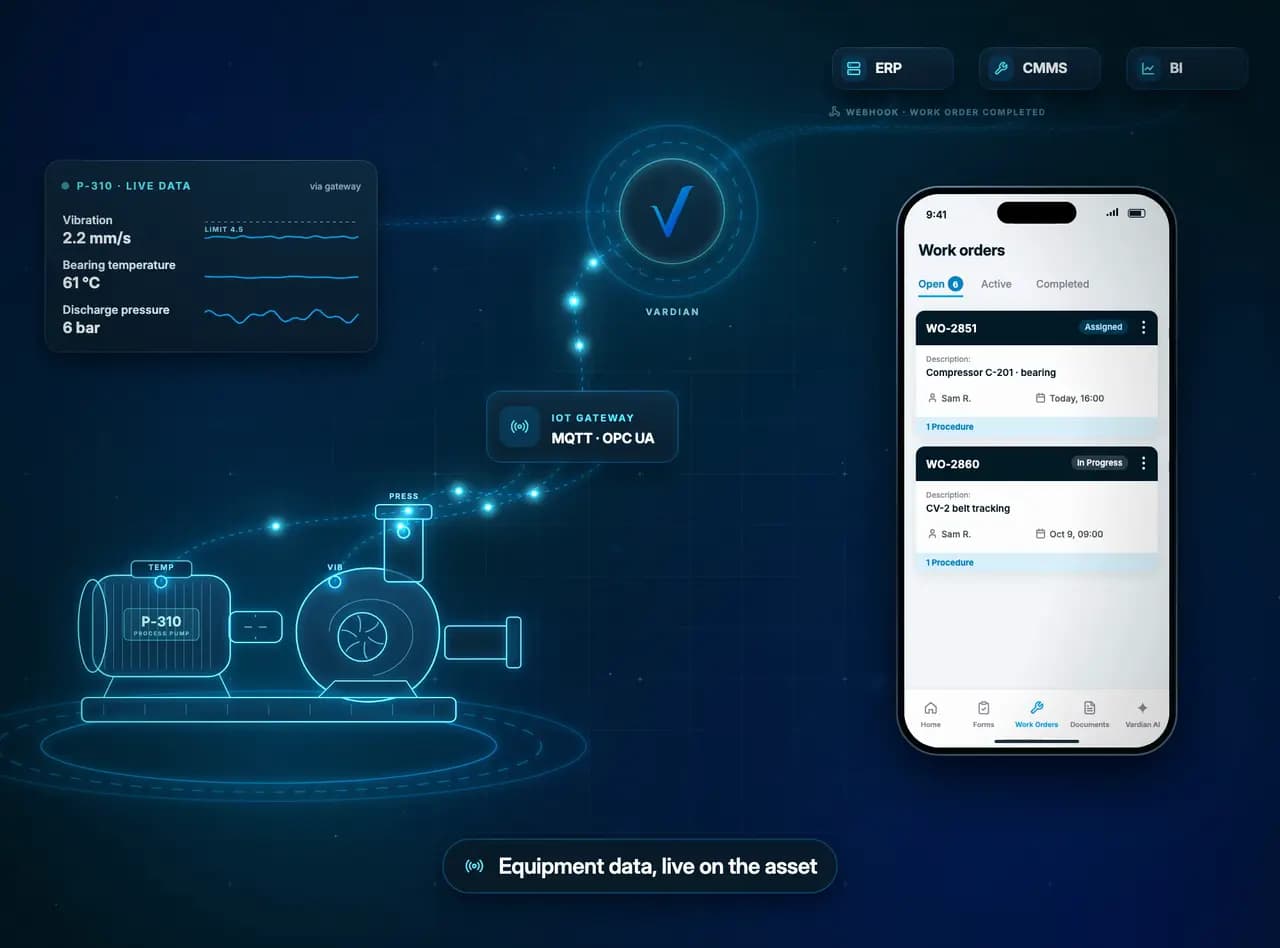 Equipment data and IoTGateways · alarms · webhooks
Sensor data on the same asset record as the rounds. A reading over its limit raises an alarm, and completed work flows on to your other systems.
Integrations →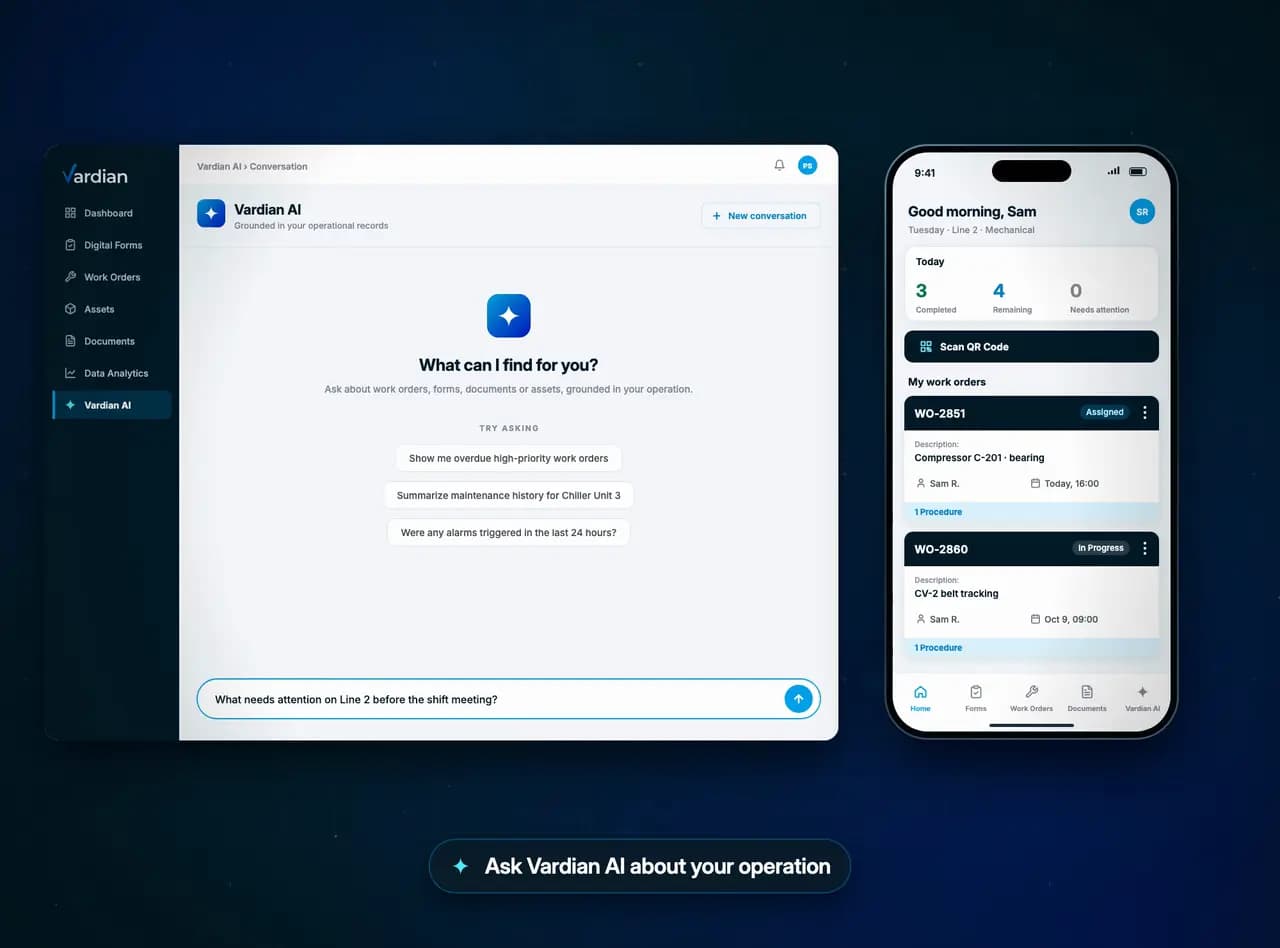 Vardian AIPermitted sources · citations · drafts for review
Ask what needs attention. Answers cite the records behind them, and drafted work waits for your review.
Vardian AI →
Guided rounds with a tap at every stop. Out-of-range readings are flagged as they are entered, and the next shift sees what happened.
Rounds and inspections →On the floor and in the office
Quicker for operators, clearer for supervisors
Works without a signal
Checks are saved on the phone where there is no coverage, and reach the supervisor's dashboard as soon as it reconnects.
Animation: an operator completes three checks on compressor C-201 with no signal. The phone saves them, and when the signal returns they sync to the supervisor's dashboard, which updates its counts and shows the failed oil-leak check.
For operators and technicians
- No retyping readings
- Values are entered once, on site, with their units and limits.
- The procedure is on the tag
- Scan the asset to open its manual, SOP and history.
- Works without a signal
- Complete rounds and work orders offline. Changes sync later.
- Evidence in a tap
- Photos, video, notes and signatures attach to the check itself.
For supervisors and managers
- See what was missed
- Rounds completed on time, checkpoints submitted and overdue work, by team and site.
- Follow every finding
- Each abnormal reading carries an owner, a due time and a status until it is closed.
- Alarms with a response
- Alarms are acknowledged from mobile, with a note on the action taken.
- Ask what needs attention
- Vardian AI answers from your own records and links to its sources.
Your systems, your review
Fits the systems you run and the review you require
Vardian complements your existing systems. Data paths are confirmed with your team before implementation.
Integrations
Equipment and gateways
Supported sensor and gateway data over MQTT, OPC-UA and REST.
APIs and webhooks
Exchange records and trigger workflows with the systems you already run.
Enterprise systems
Connect CMMS, ERP and BI data paths, confirmed with your team during discovery.
Security
- Encryption in transit and at rest
- Role-based access control
- Single sign-on (Enterprise plan)
- Audit trails
Industries
Built for asset-intensive operations
The same connected record of rounds, findings and follow-up work, set up around the equipment and routines of your industry.
Free resources
Checklists and practical guides
Download a checklist your team can use today, as PDF, Excel or Word, or read how teams run rounds, inspections and corrective work.
- SafetyForklift pre-shift inspection checklist
- SafetyLockout/tagout (LOTO) checklist
- SafetyConfined space entry permit
- SafetyHot work permit
- Operator roundsOperator rounds checklist
- InspectionsFire extinguisher monthly inspection checklist
- SafetyScaffold inspection checklist
- Operator roundsBoiler daily inspection checklist
- Operator roundsAir compressor daily checklist
- SafetyEyewash station and safety shower inspection checklist
- SafetyPortable gas detector bump test log
- QualityPre-operational sanitation inspection checklist
Latest guides
- November 6, 2026 · 8 min readHot Work Permit Requirements: What OSHA 1910.252 SaysOSHA's welding standard requires an inspection before hot work starts, with precautions designated "preferably in the form of a written permit," and two other standards make the permit mandatory. What 1910.252(a) requires, when a fire watch is needed, where hot work is prohibited.
- November 5, 2026 · 8 min readGas Detector Bump Test Requirements: What OSHA's Guidance SaysNo OSHA standard says how often to bump test a portable gas detector. OSHA's bulletin on direct-reading monitors fills the gap: a bump test or calibration check before each day's use, a full calibration when a check fails, and out of service when that fails. What it says and what a daily log covers.
- November 4, 2026 · 9 min readEyewash and Safety Shower Requirements: What OSHA's Rule SaysOSHA's rule for eyewash stations and safety showers is one sentence long. Its letters fill in the rest by pointing to ANSI/ISEA Z358.1: flow rates, 15 minutes of flushing, tepid water, weekly activation. What the rule requires, how OSHA judges it, and what a weekly check covers.
Start with one workflow
Bring a real round, inspection or maintenance process. We'll show how it runs in Vardian, then scope a pilot around it if it fits.
- 01
Book a demo
We walk through one of your own workflows, built in Vardian.
- 02
Run a pilot
Agree the scope, users and success criteria, then run one real workflow.
- 03
Roll out
Extend to more workflows, teams and sites at the pace you set.